Change Your Plan
Your Workmax subscription is made up of the modules you use. If you need to add or remove modules, or upgrade or downgrade your plan, you can do so at any time from the Plan & billing section. Follow these steps to change your plan:
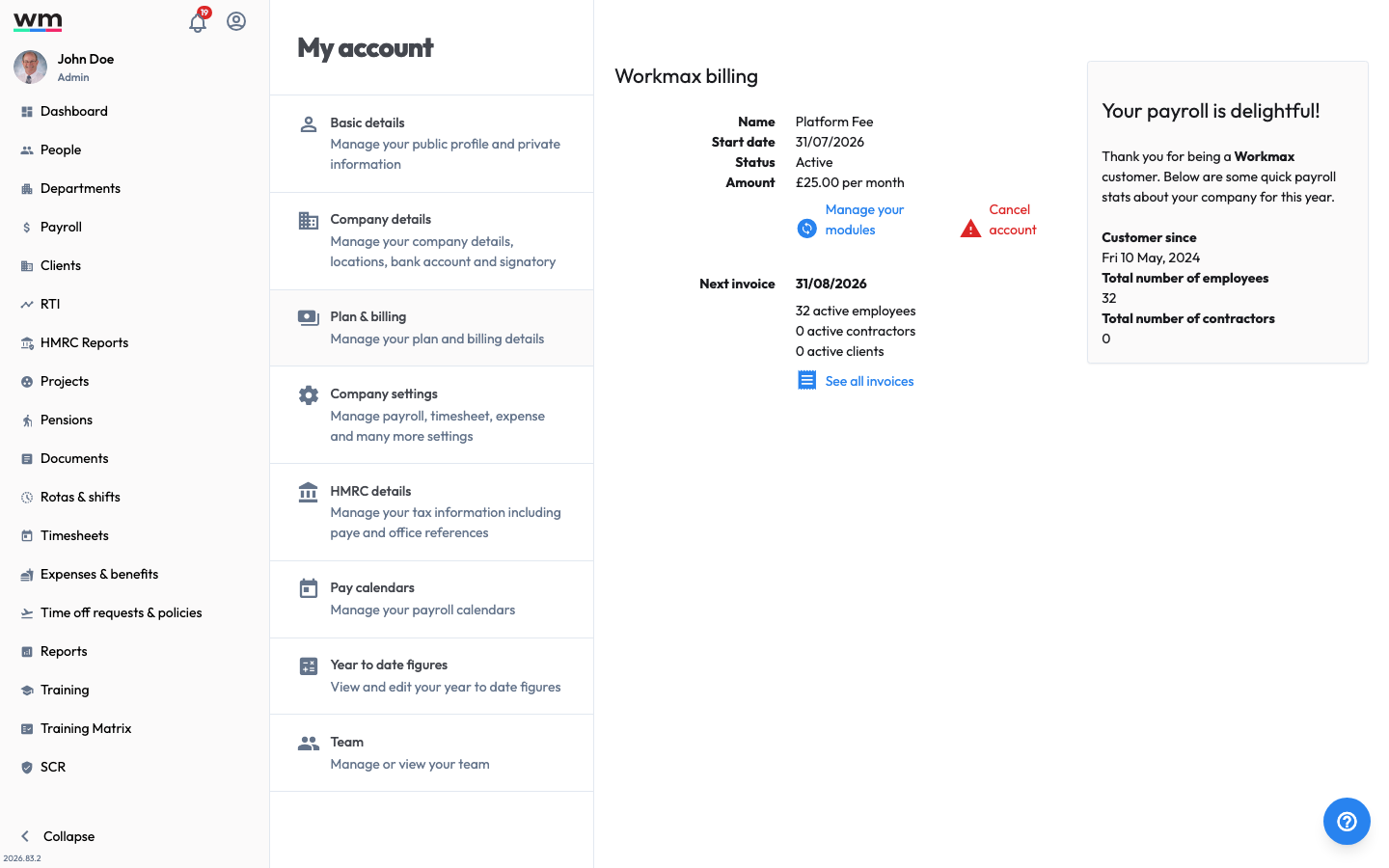 The Plan & billing page, where you manage your subscription and billing.
- Sign in to your "Workmax" account with an admin account.
- Go to "My Account" and select "Plan & billing".
- In the "Workmax billing" section, click on the "Manage your modules" link.
- Select the modules or plan you want to change to.
- Follow the prompts to confirm your changes and payment details.
Workmax will now update your plan. You will receive an email confirmation of your plan change, and you can view your updated plan details in the "Plan & billing" section of your account. If you have any questions or need help, please contact Workmax Support.