Clients
Overview
Clients are the organisations or people you work with. For care providers, a client is a service user you deliver care to. Each client has a full record made up of tabs — Overview, Members, Skills, Contacts, Projects, Care Plans, Incidents, Care History, Shifts & Care, Timesheets, Time off, Expenses, Settings and Audit Trail — so everything about that client lives in one place.
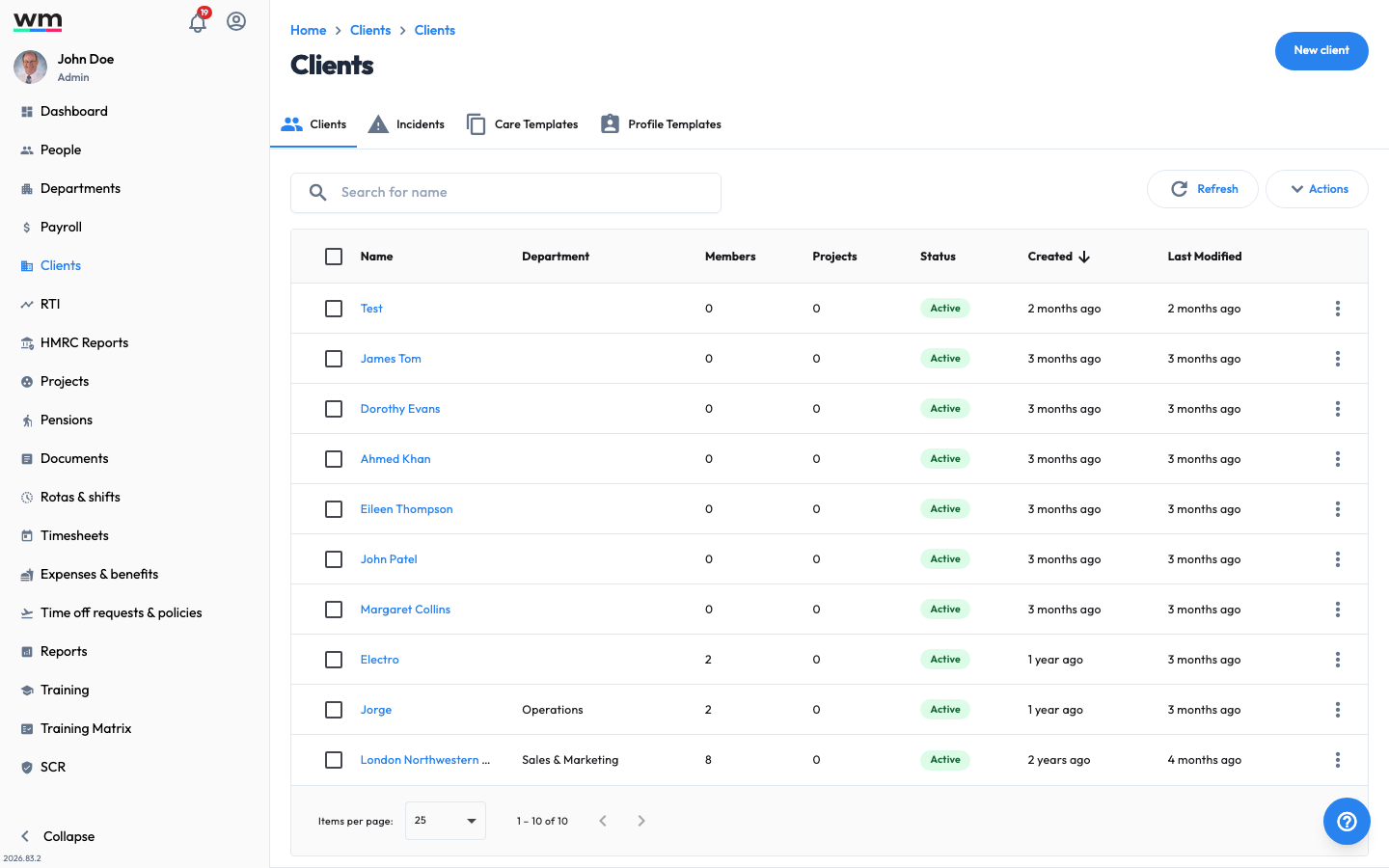 The Clients section, where you manage the organisations and service users you work with.
Why Use Workmax Client Management?
- One record per client: Keep contact details, team, projects, care and history together.
- Care ready: Build care profiles and care plans, record incidents, and evidence care delivery.
- Better service: Assign the right people and track work against each client.
Managing a Client
- Add a Client: Add a new client (or care service user).
- Edit a Client: Edit an existing client.
- Delete a Client: Delete a client.
- Add a Contact to a Client: Add a contact to a client.
- Remove a Contact from a Client: Remove a contact from a client.
- Add Team Members to a Client: Add team members to a client.
- Remove Team Members from a Client: Remove team members from a client.
- Client Settings: Manage settings for a client.
- View a Client's Audit Trail: See the changes made to a client's record.
Care for a Client
For care providers, a client's care is managed through the following, which you can reach from the client's tabs:
- Set up a Client Care Profile: Record a client's preferences, key notes and risks.
- Create a Care Plan: Build a care plan of visits and tasks.
- Assign Skills to a Client: Record the skills a client's care requires.
- View Care History: Review the care tasks delivered to a client.
- Report an Incident: Record and manage incidents for a client.
See Care Management and Incidents for the full set of care features.