View Care History
The care history gives you a full audit of the care tasks delivered to a client, including task status changes, notes, and who made them. It is a valuable source of evidence for care reviews and CQC inspections.
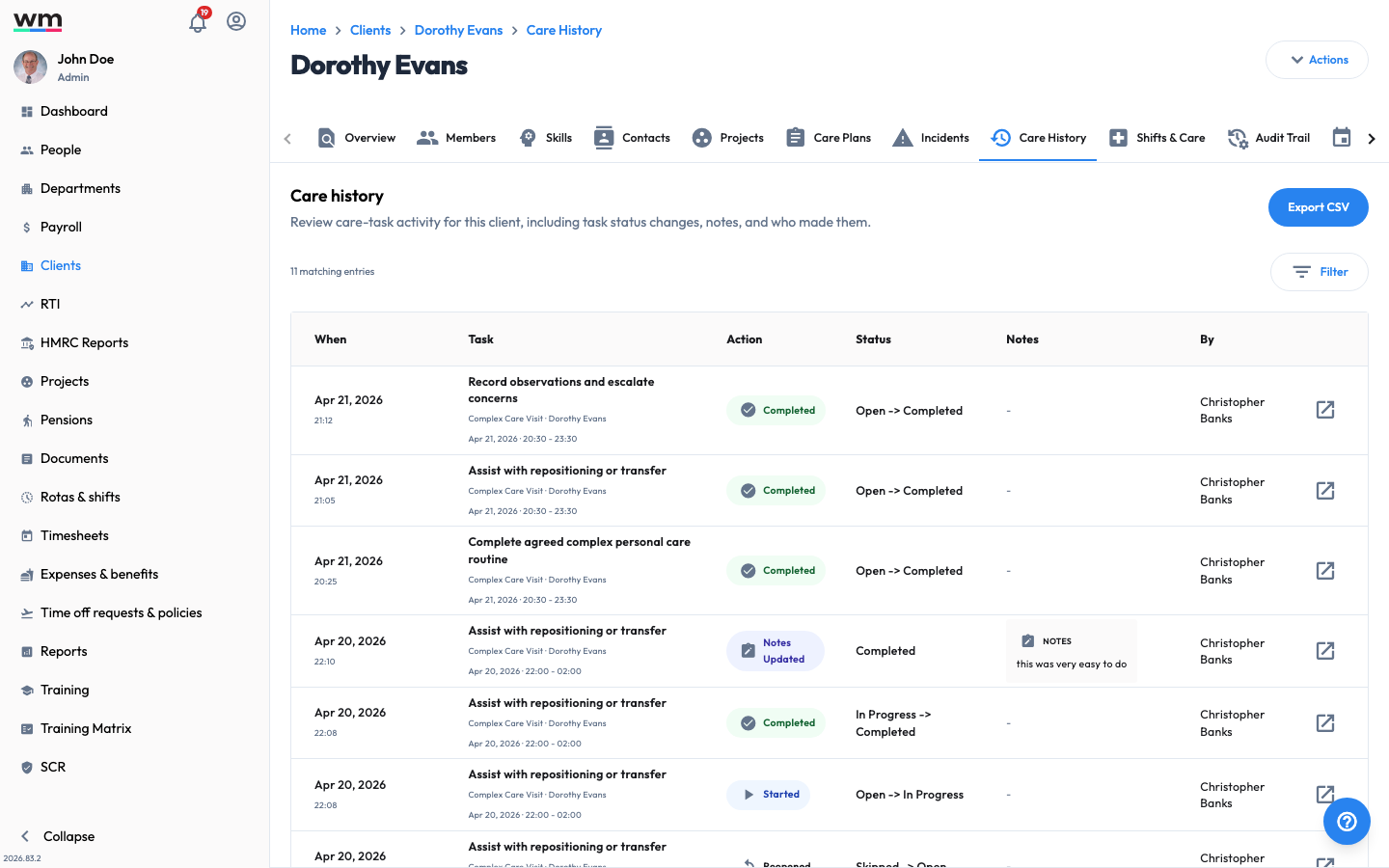 A client's Care history, a full audit of care-task activity for CQC evidence.
View a Client's Care History
To view a client's care history, follow these steps:
- Sign in to your "Workmax" account with a manager or admin account.
- Go to the "Clients" section and open the client.
- Open the "Care History" tab.
- Review the recorded activity. Each entry shows:
- When it happened
- The task
- The action taken and the resulting status
- Any notes
- The person (actor) who made the change
- Use the filters to narrow the entries you are reviewing.
Export the Care History
To keep a copy for your records, click on the "Export CSV" button on the care history page.
The "Shifts & Care" tab gives a combined timeline of a client's shifts and care activity over a date range, which is useful when reviewing a specific period. If you have any questions or need help, please contact Workmax Support.