Incidents
Overview
Incidents let you record and manage things that happen during care — such as a fall, a medication issue, a safeguarding concern or a missed visit — so they are captured accurately, followed up and available as evidence. Every incident is recorded against the client's care history and can be used for compliance reporting.
Incidents move through a clear workflow — Open, Acknowledged, Escalated and Resolved — with a full timeline of every action, note and status change along the way.
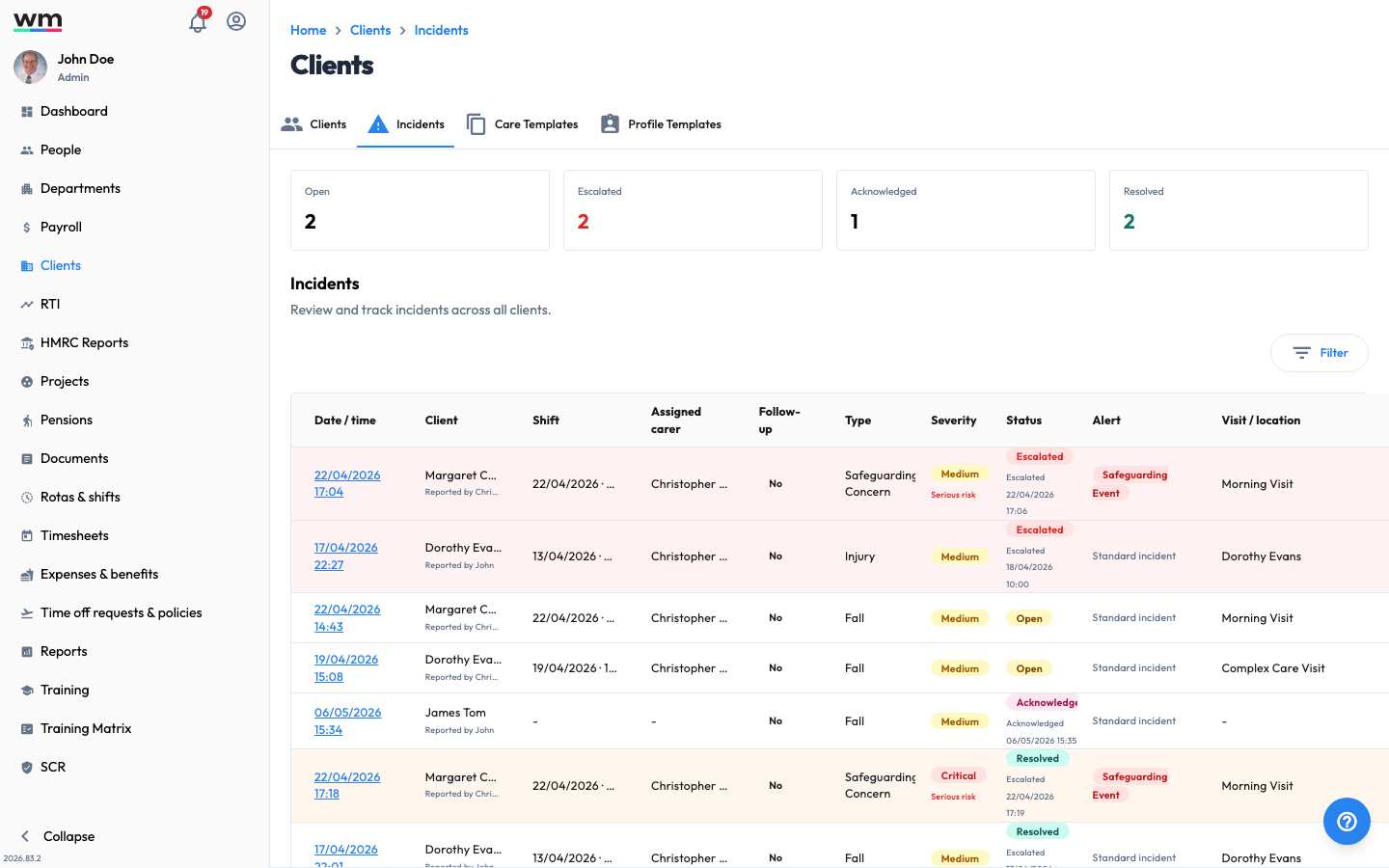 The company Incidents view, tracking every incident across your organisation.
Why Use Workmax Incidents?
- Accurate records: Capture what happened, who was involved and what action was taken.
- Care context: Link an incident to the visit, location and care risks it relates to.
- Clear ownership: Triage, escalate and resolve incidents with an auditable timeline.
- Compliance ready: Feed incident data into the Reporting and CQC dashboards.
Features
- Report an incident: Record a new incident for a client.
- Acknowledge an incident: Triage an open incident.
- Escalate an incident: Raise an incident for urgent attention.
- Resolve an incident: Close an incident once it is dealt with.
- Reopen an incident: Reopen a resolved incident for further review.
- Add a note to an incident: Add a factual follow-up update.
- View company incidents: Monitor all incidents across your organisation.