Create a Care Plan
A care plan sets out the visits a client receives and the care tasks delivered on each visit. You can start a plan from a template, use a guided setup based on the client's needs, or build a blank plan. New plans are created as a draft so you can review them before care begins.
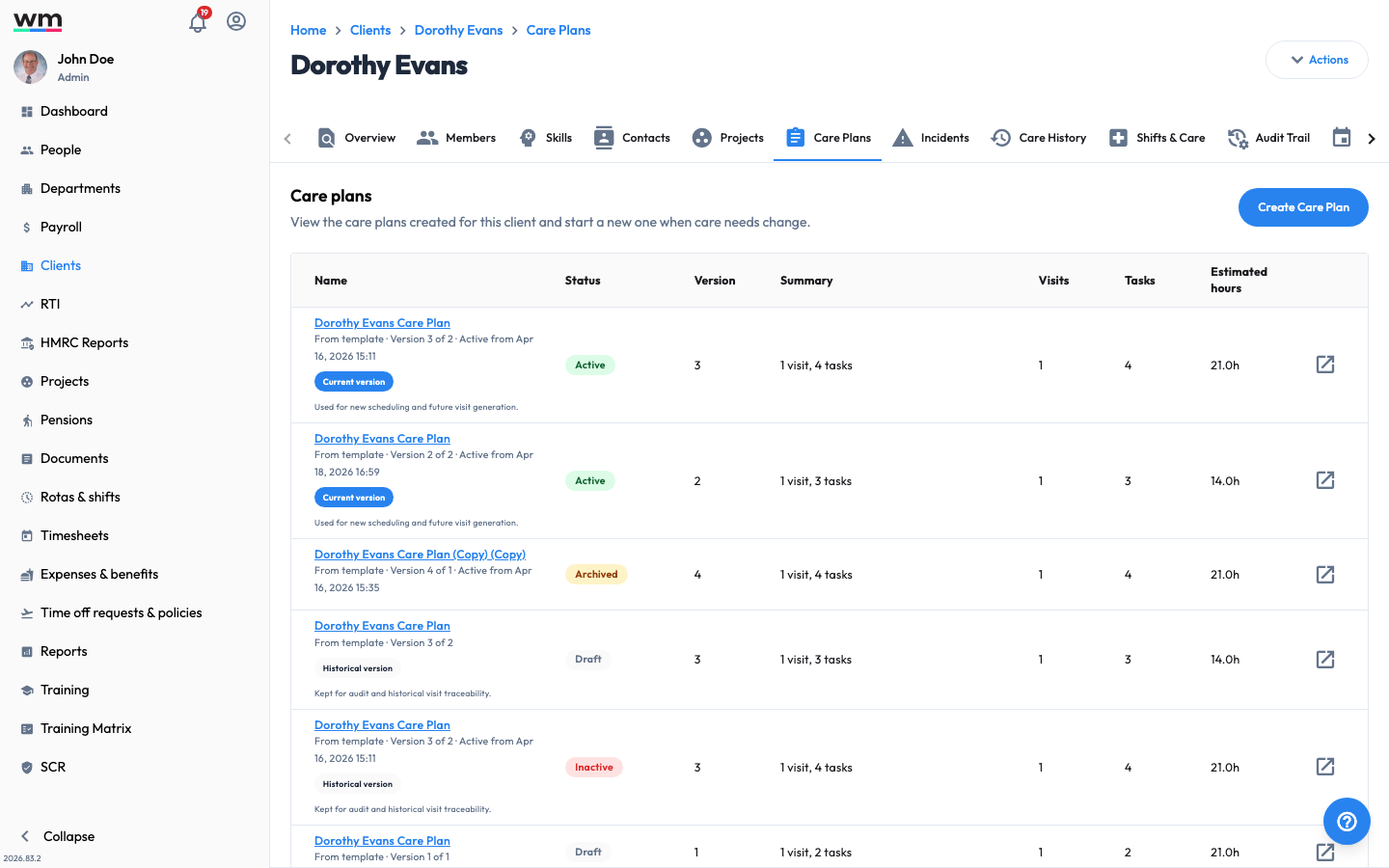 A client's Care Plans tab, listing current and historical care plan versions.
Create a Care Plan
To create a care plan, follow these steps:
- Sign in to your "Workmax" account with a manager or admin account.
- Go to the "Clients" section and open the client.
- Open the "Care Plans" tab and click on the "Create Care Plan" button.
- Start plan — choose how you want to start the plan:
- Start from template — select a template catalog and template. A preview shows the visits, tasks and starter needs that will be added.
- Guided setup — build the plan from the client's assessed needs.
- Blank plan — start from scratch.
- Click on the "Continue" button.
- Needs — select the client's needs (for example Personal care, Medication, Mobility, Meals, Support). Suggested care tasks appear for each need you select. Click on the "Continue" button.
- Visits — set up the visits that make up the plan. Use "Add visit" and, for each visit, enter:
- Visit name
- Visit type
- Start time and End time
- Days of week
- Location (Inherit, Client home, or a custom address)
- In the "Task to visit mapping" panel, assign each care task to a visit. Any task that still needs a visit is flagged so nothing is missed. Click on the "Continue" button.
- Review — check the summary (visits per week, tasks, estimated hours and any warnings). You can:
- Adjust preferences, key notes and risks inherited from the care profile.
- Add a custom task to a visit, set its instructions, and mark it Mandatory where required.
- Click on the "Save plan" button.
Workmax saves the care plan as a draft. When you are ready to start delivering it, activate the care plan. You can also select "Save as template" on the review step to reuse the plan for other clients. If you have any questions or need help, please contact Workmax Support.