View Company Incidents
The company incidents page brings together every incident across your organisation in one place, so managers can monitor open work, spot anything overdue, and keep on top of follow-ups.
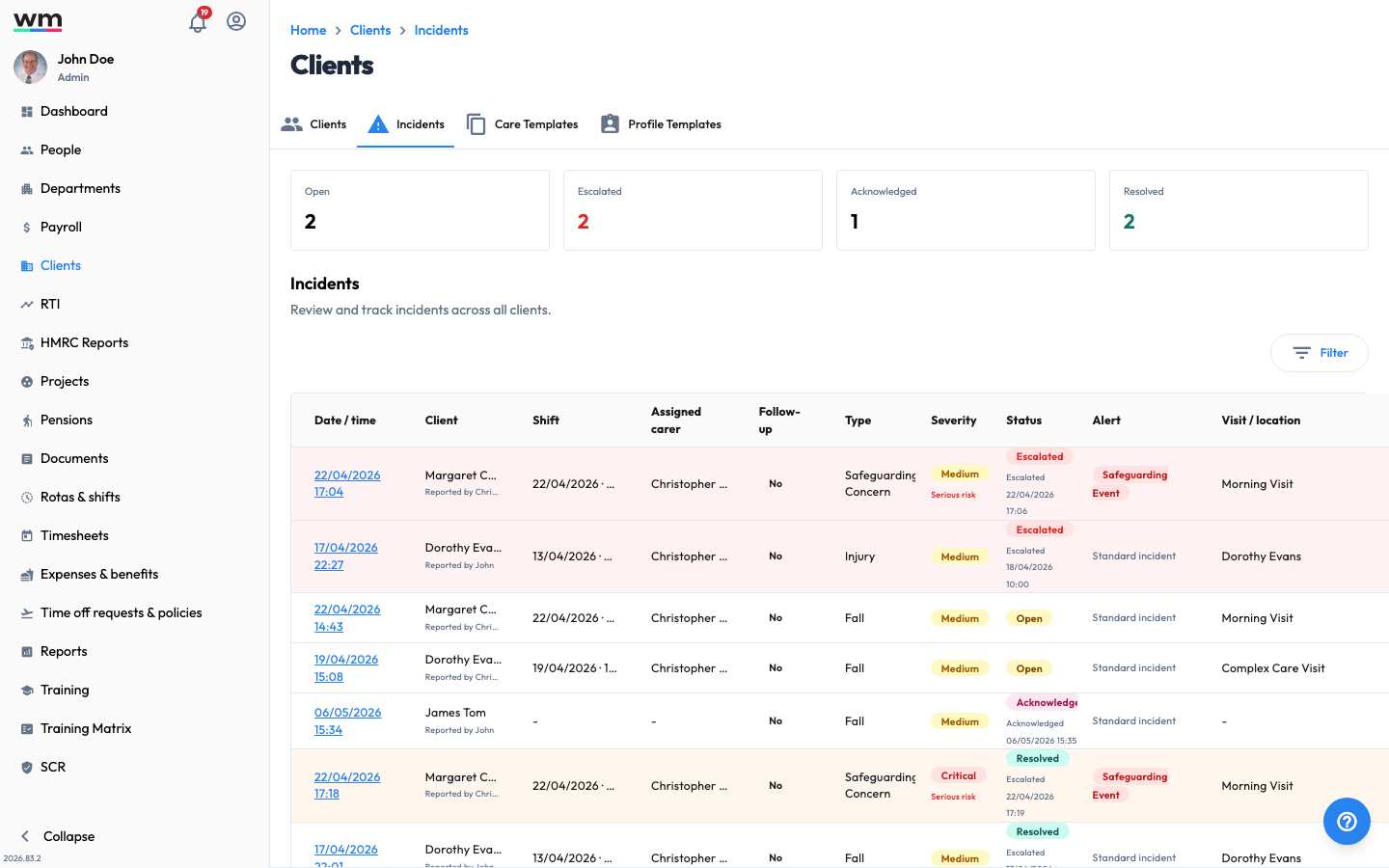 The company Incidents page, where you monitor incidents across all clients.
View Company Incidents
To view all incidents, follow these steps:
- Sign in to your "Workmax" account with a manager or admin account.
- Go to the "Incidents" section.
- Use the status counters at the top of the page to filter by Open, Escalated, Acknowledged or Resolved.
- Review the incidents list. Each row shows the date and time, type, client, linked shift, assigned carer, whether follow-up is required, severity, status and location.
- Click on an incident's date and time to open its full detail, where you can read the description, immediate action, attachments and timeline, and take actions such as acknowledge, escalate, resolve, reopen or add a note.
Incidents that are past their acknowledgement window are flagged as Overdue so they can be prioritised. If you have any questions or need help, please contact Workmax Support.